
CAD to BIM Conversion Services
Migrate Your AutoCAD Drawings into Intelligent, Coordinated Revit BIM Models. Accurate. Structured. Delivery-Ready.
We convert 2D AutoCAD drawings into fully parametric, coordinated Revit BIM models for architects, engineers, developers, and construction firms across the US, UK, Canada, and Australia. With over 21 years in the AEC industry, founded in 2005, our team has handled CAD to BIM migrations for projects of every size, complexity, and documentation standard. If your project exists in CAD, we bring it into BIM without losing design intent, without rework on your end, and without the learning curve of doing it in-house.
Autodesk Suite
Revit & Navisworks
Precision QC
Model Audited
What is CAD to BIM Conversion?
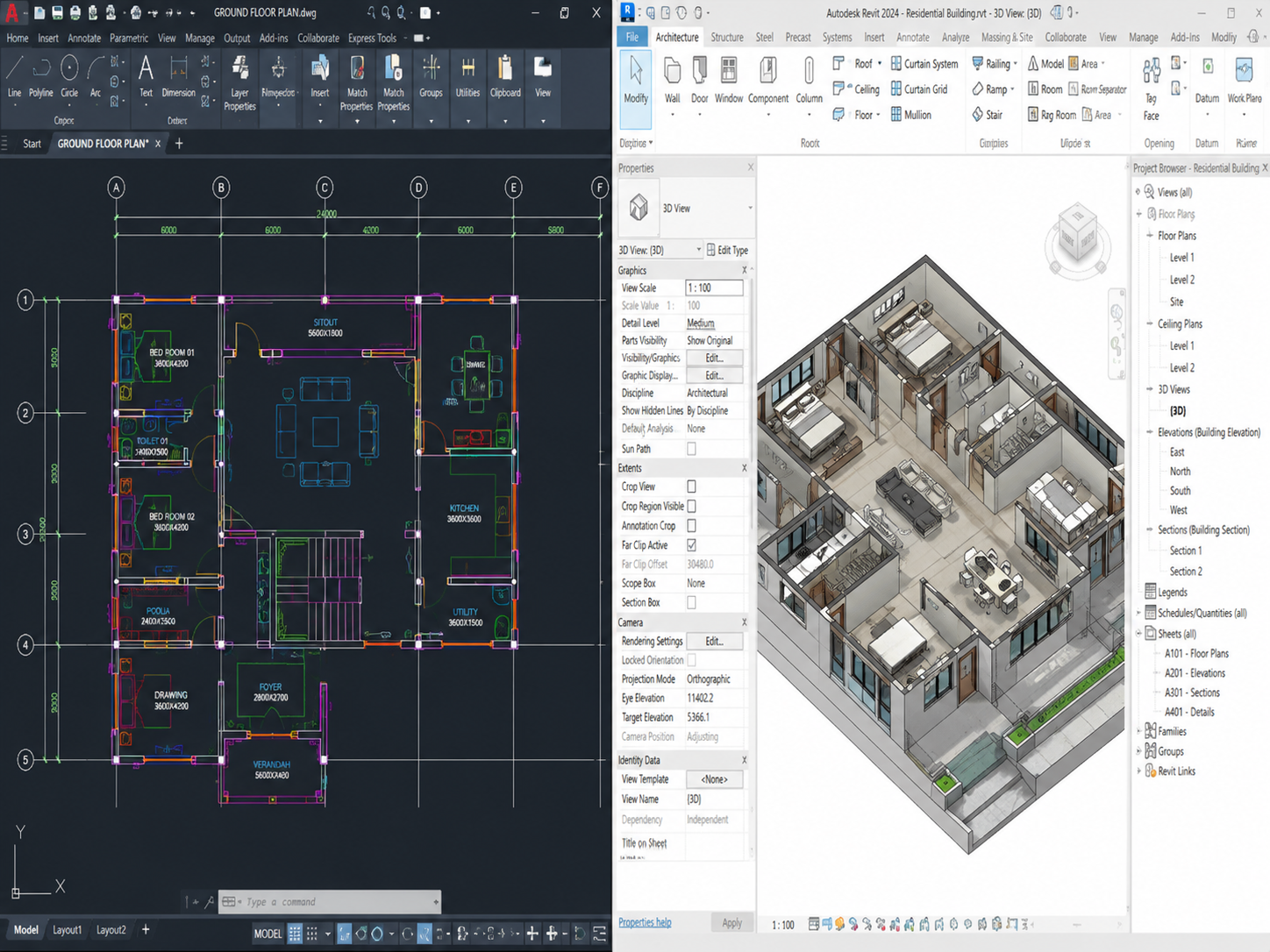
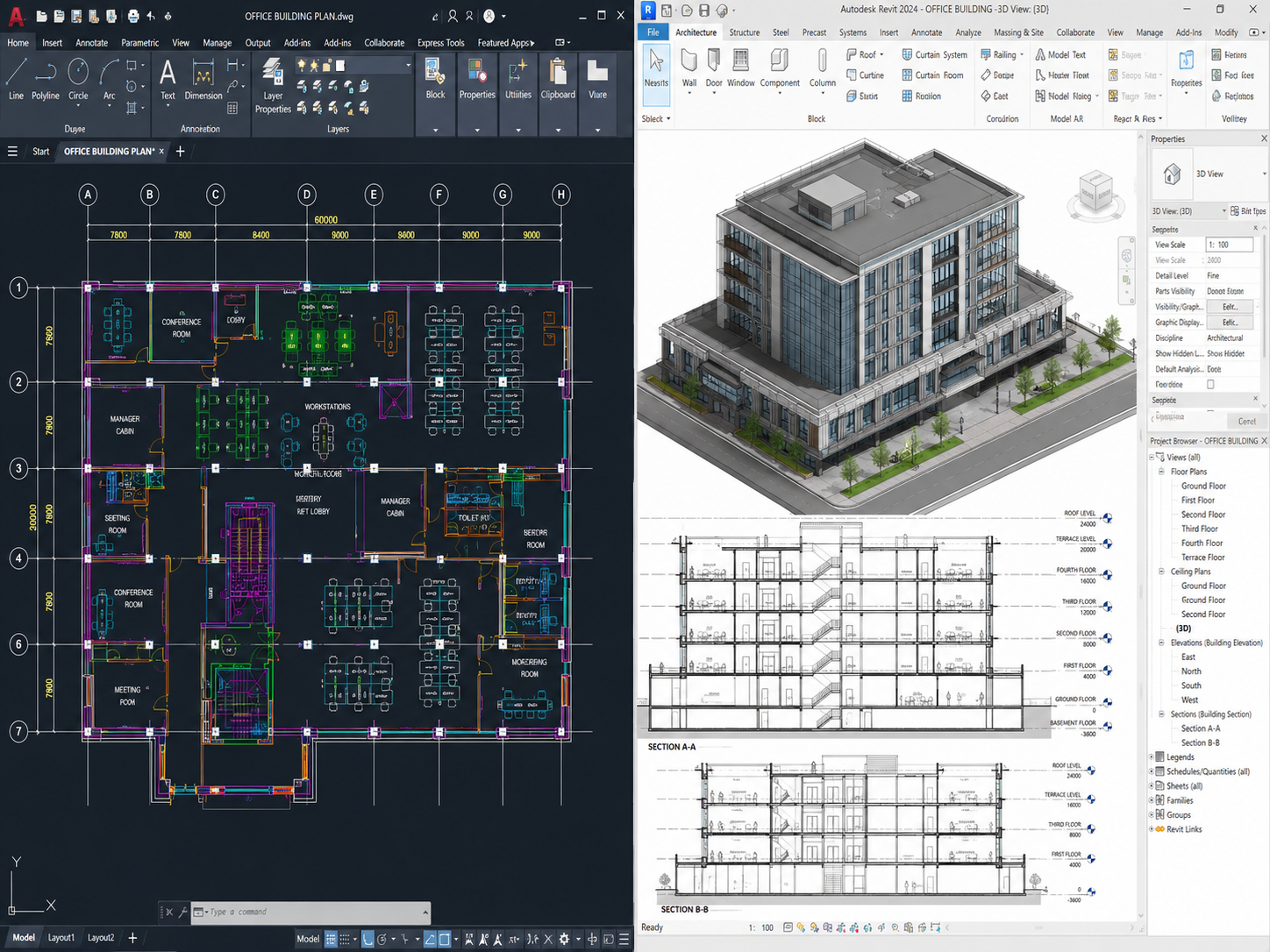
CAD to BIM conversion is the process of migrating 2D AutoCAD drawings into intelligent, data-rich 3D Revit BIM models. Where CAD files contain flat, disconnected geometry with no embedded information, a BIM model carries real data at every element: dimensions, material properties, spatial relationships, system parameters, and coordination geometry that all project disciplines can work from simultaneously.
The process is not a simple import or trace. Our team reads the CAD drawings the way a design professional reads them, interprets the design intent, resolves drafting inconsistencies, and rebuilds every element as a correctly structured Revit object with proper families, levels, phases, and parameters.
The result is a model your team can use immediately for design development, multidiscipline coordination, clash detection, or construction documentation, without reformatting, restructuring, or correcting.
This service is used when:
- A project designed in AutoCAD needs to move into a BIM workflow
- A client or authority requires BIM deliverables but only CAD documentation exists
- An architecture firm is transitioning from CAD to BIM and needs legacy projects migrated
- A general contractor needs a coordinated BIM model from CAD design drawings
- A developer requires a BIM model for facility management and asset handover
We accept the following CAD input formats:
- AutoCAD DWG (all versions)
- DXF files from any CAD platform
- DGN files from MicroStation
- Linked or externally referenced CAD files (XREFs)
- CAD files with layers, blocks, and attributed geometry
Our CAD to BIM Conversion Process
Every CAD to BIM project follows a structured six-step process. No assumptions. No shortcuts. No modeled guesswork.
CAD File Assessment
We review DWG/DXF files for layers, completeness, scale, and XREFs; flag issues with required actions.
Element and Layer Mapping
Map CAD layers to Revit categories; assign walls, doors, windows, columns, stairs, roofs, ceilings, finishes.
Revit Model Build
Build Revit model from CAD using correct system/loadable families and your template or market-appropriate standard.
Design Intent Verification
Flag CAD errors or inconsistencies, confirm intent with your team, and model the correct design.
Quality Control
Perform full QC: dimensional checks, family and level consistency, audit warnings, and coordination readiness verification.
Delivery
Deliver final .RVT, IFC, extracted 2D drawings, and a model audit summarizing LOD and assumptions.
CAD Drawing Types We Convert to BIM
We work with the full range of architectural CAD documentation. Any drawing type that exists in DWG, DXF, or DGN format, we can convert.
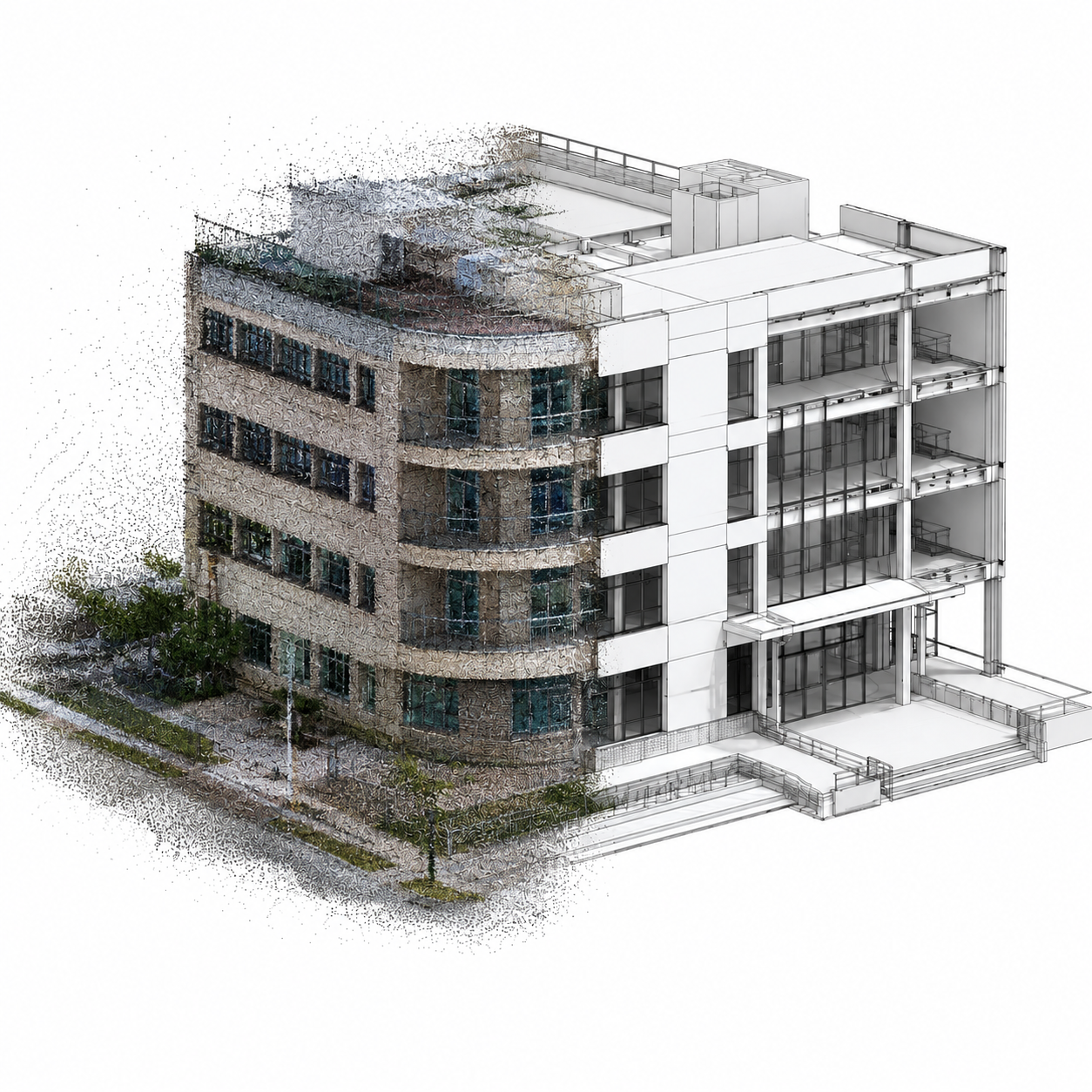
Architectural Floor Plans
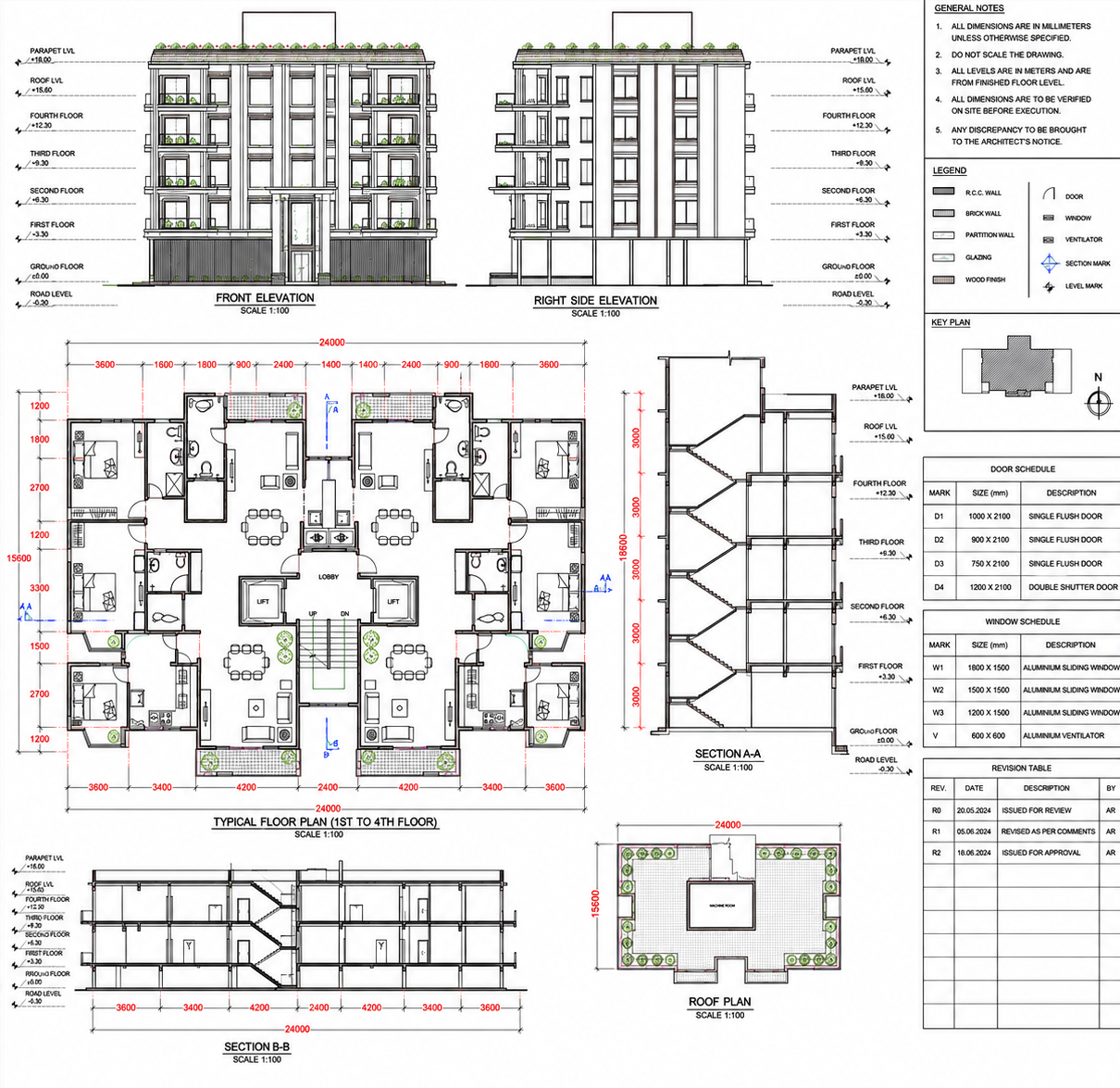
Converting complete sets of floor plans and layout schemes across all levels and phases into coordinated 3D building geometry.
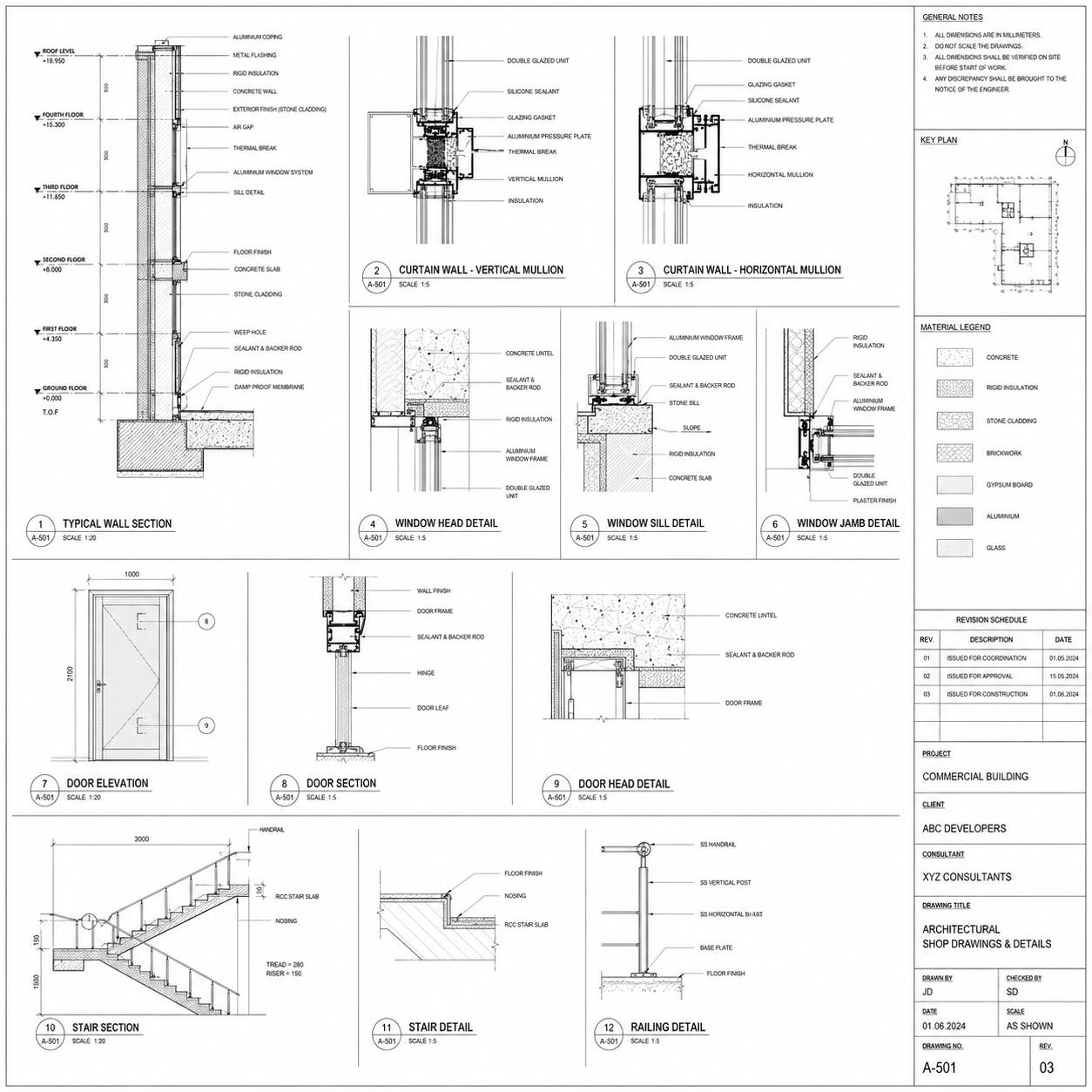
Building Elevations & Sections
Reconstructing flat facade elevations, vertical building sections, and detailed wall assemblies into depth-accurate model geometry.
Reflected Ceiling & Roof Plans
Modeling ceiling grids, lighting fixtures, MEP diffusers, complex roof forms, structural framing support, and drainage components.

Site & Masterplan Drawings
Integrating plot layout maps, landscape details, site utility routes, coordinate grids, and property borders into a unified site model.
Facade & Curtain Walls
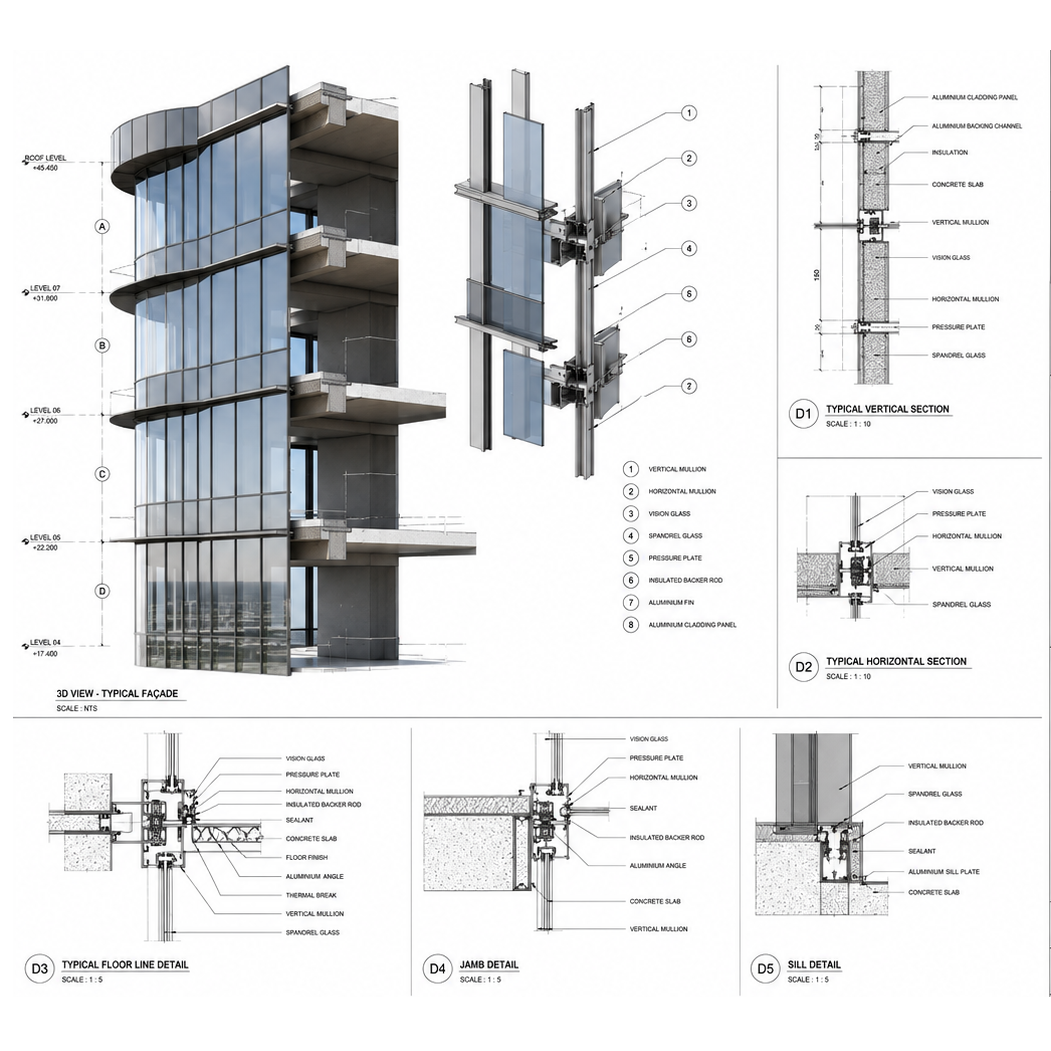
Detail modeling of curtain wall profiles, exterior cladding systems, glazing configurations, storefront structures, and profiles.
Structural Reference Plans
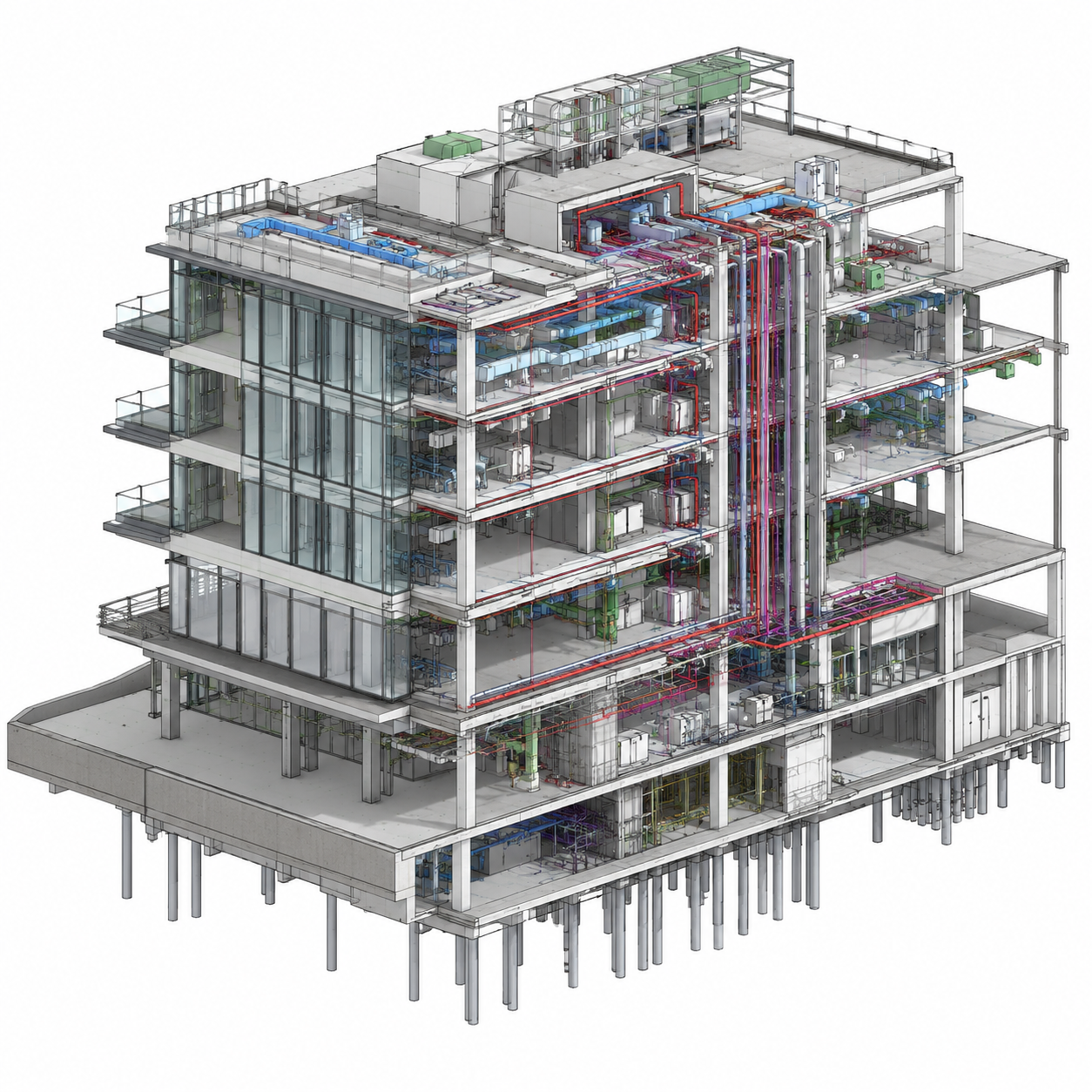
Aligning structural columns, foundation piles, frames, trusses, and structural load pathways derived directly from CAD references.
Level of Development for CAD to BIM
We deliver across the full LOD spectrum depending on your project stage and how the model will be used downstream.
Feasibility Stage
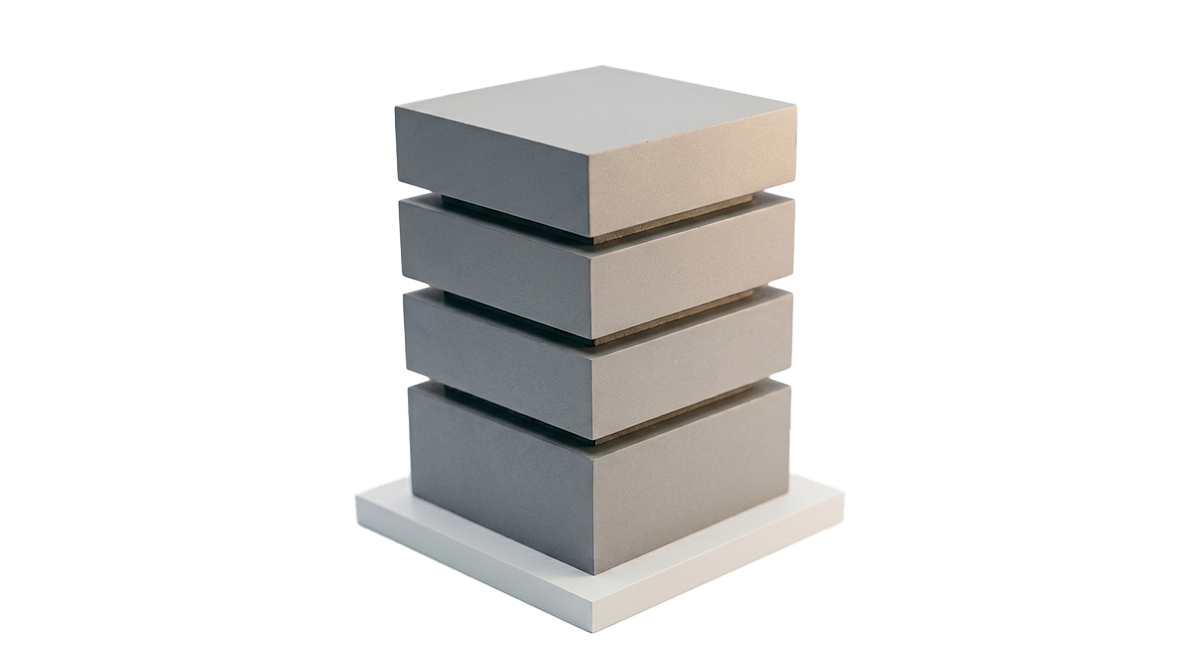
Overall massing, overall area, volume, and orientation mapped conceptually. Typical Use Case: Early feasibility, planning submissions, massing studies.
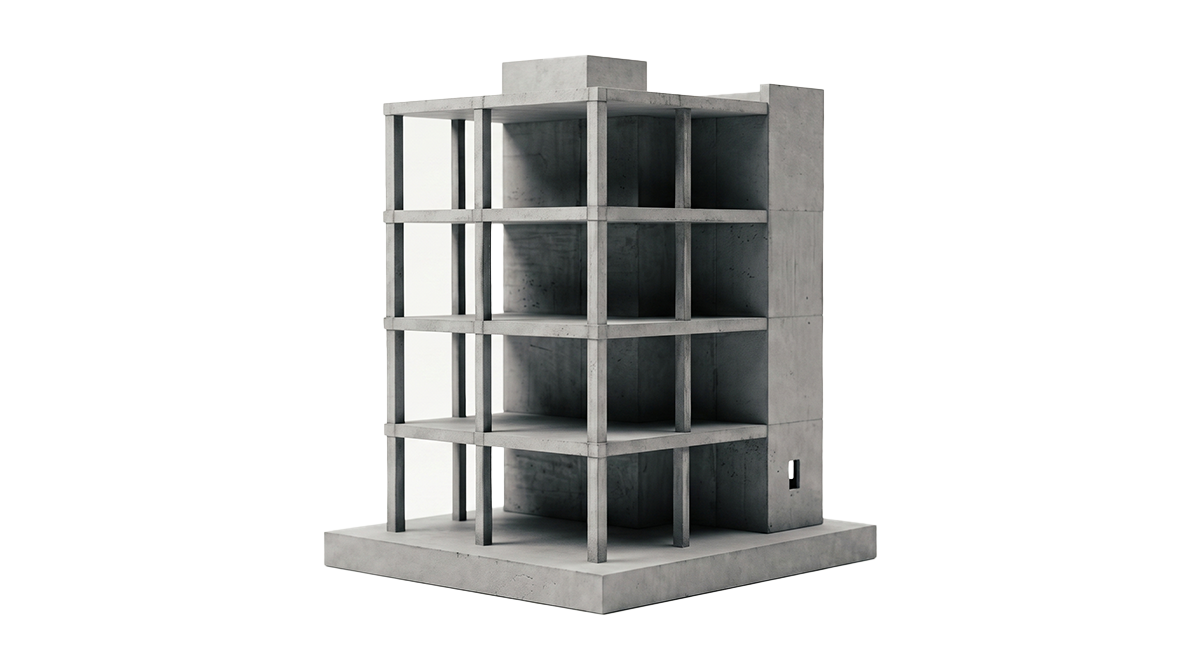
Schematic Design
Approximate geometry, shape, size, location, and orientation. Typical Use Case: Schematic design coordination, early clash detection.
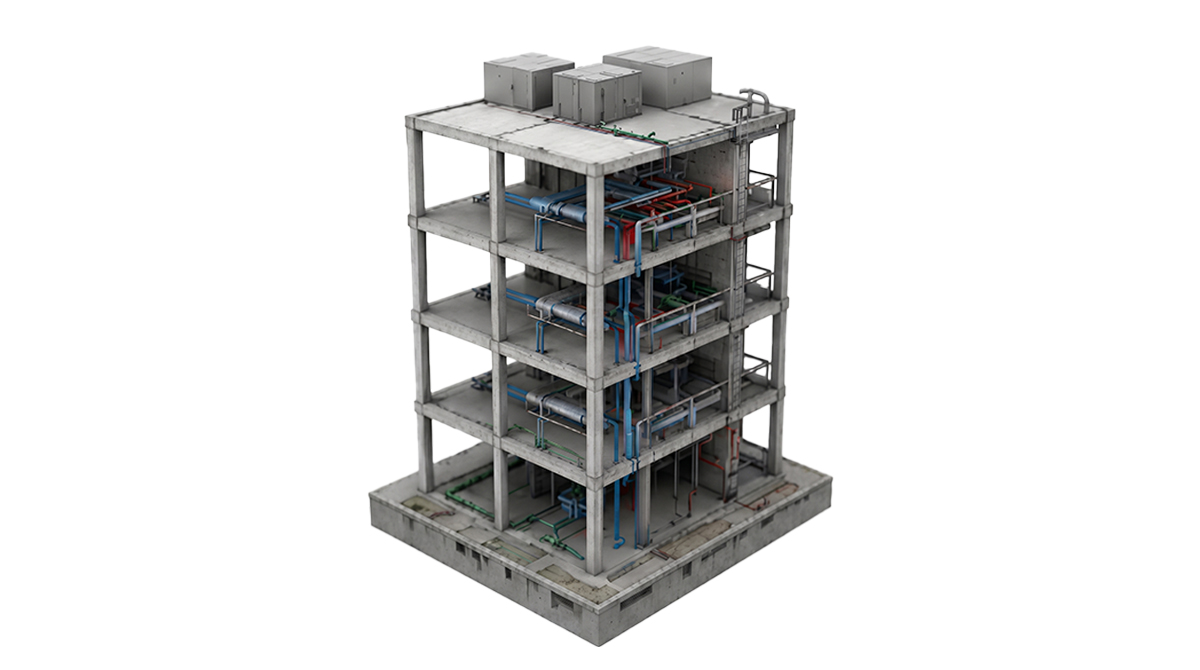
Design Development
Precise geometry, specific dimensions, and full coordination data. Typical Use Case: Design development, multidiscipline BIM coordination.
Construction Details
System interfaces, connection details, and pre-construction coordination geometry. Typical Use Case: Pre-construction coordination, subcontractor packages.
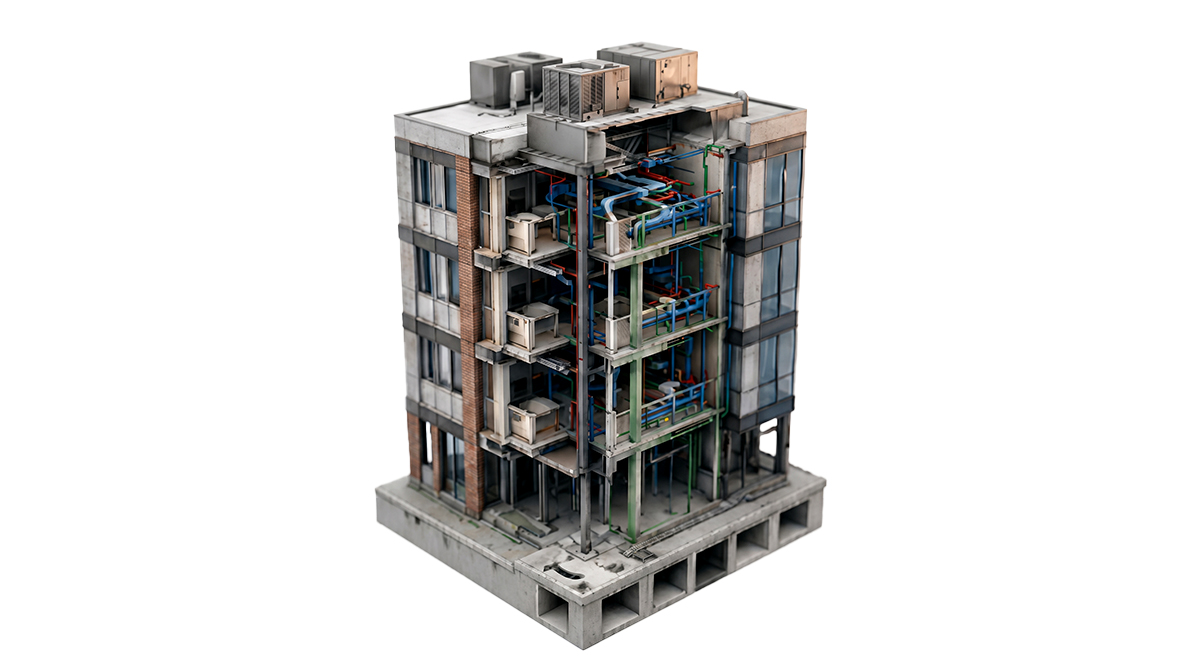
Fabrication Stage
Fabrication-level detail with specific materials and installation data. Typical Use Case: Construction documentation, tender and procurement packages.
Industries We Serve
We provide tailored drafting and modeling solutions across diverse construction sectors.

Commercial Real
Estate
High-precision models and coordination for corporate towers and office complexes.

Healthcare
Facilities
Specialized layout plans meeting stringent medical coding and airflow regulations.

Residential
High-Rises
Smart 3D drafting and structural layouts optimized for modern urban living.

Industrial
Plants
Complex piping, equipment layout modeling, and steel structure detailing.

Educational
Institutions
Scalable BIM models for universities, schools, and state-of-the-art campus facilities.

Infrastructure
& Bridges
Heavy civil structural drawings, reinforcement models, and highway layouts.

Hospitality
& Hotels
Interior rendering and shop drawings for premium hotels, resorts, and suites.

Retail
Complexes
Storefront detailing, cladding mockups, and MEP plans for multi-brand retail outlets.
Why AEC Firms Trust Our CAD to BIM
We bring 21 years of design coordination history, template standards compliance, and rigorous quality check procedures to every model.
21 Years of AEC Experience
We have been converting drawings into BIM models since 2005. That means we have seen every CAD drafting style, every documentation standard, and every type of project complexity across four major markets. There is very little we have not already handled.
We Rebuild, Not Just Reference
Many providers import CAD geometry into Revit and call it a BIM model. We do not. Every element is rebuilt as a native Revit object with correct family type, parameter structure, and coordination geometry. The difference shows immediately.
Design Intent Over Geometry
CAD drawings frequently contain drafting inconsistencies, shorthand notation, and implied information that only makes sense to a trained eye. We interpret what the drawing means, not just what it shows.
Your Template, Your Standards
We work inside your office Revit template, follow your BIM Execution Plan, and apply your naming conventions from the first element we model. The file comes back in a format your team can use immediately.
Full QC on Every Delivery
No model leaves without a dimensional accuracy check, a Revit model health audit, and a coordination geometry review. You receive a clean, reliable file with a delivery summary.
Four-Market Delivery Experience
We have delivered CAD to BIM conversions under AIA standards in the US, ISO 19650 and NBS requirements in the UK, NBC standards in Canada, and NCC requirements in Australia. We know what each market expects.
What You Send Us. What You Get Back.
Send us your CAD files and tell us your LOD requirement, Revit version, and project timeline. We handle everything from there.
You Send Us
- →AutoCAD DWG floor plans, elevations, sections
- →DXF or DGN files from any CAD platform
- →XREFs and block-heavy CAD packages
- →Incomplete or inconsistent CAD drawing sets
- →As-built or permit CAD drawings
- →CAD drawings with notes and dimensions
We Deliver Back
- ✓Fully structured Revit (.RVT) model
- ✓IFC file for multidiscipline coordination
- ✓2D drawing set extracted from the Revit model
- ✓Model built to your Revit template and BEP
- ✓COBie-compliant data on request for FM handover
- ✓Model audit summary confirming LOD and scope coverage
Markets We Serve
We calibrate our modeling outputs and nomenclature to local regulatory templates and regional drafting codes.
We deliver CAD to BIM conversion to US architects, developers, and contractors working under AIA documentation standards and CSI formatting requirements. Models and drawing sets are structured for US permit submissions, construction documentation, and BIM mandate compliance.
- AIA Layering Standards
- CSI MasterFormat Classifications
- NCS Standards Compliance
Frequently Asked Questions About CAD to BIM Conversion
Common questions regarding source file formats, Revit template support, accuracy tolerance, and pricing estimation.
CAD to BIM conversion is the process of migrating 2D AutoCAD drawings (DWG, DXF, or DGN files) into intelligent, data-rich 3D Revit BIM models. Rather than simply tracing lines, our team reads the drawings, interprets the architectural and structural design intent, and reconstructs every building element as a fully parametric Revit object with accurate dimensions, levels, and system parameters.
CAD to BIM starts from DWG, DXF, or DGN files that contain editable 2D geometry, which can be referenced and measured during the modeling process. PDF to BIM starts from flat, non-editable files where every element must be interpreted visually and rebuilt from scratch. CAD to BIM is generally faster and more dimensionally precise because the source geometry is measurable. PDF to BIM is the right service when no CAD source files exist.
CAD to BIM conversion is highly accurate because the source geometry is measurable and dimensioned. Our models are built to match the source CAD drawings exactly, with any discrepancies between drawings flagged and confirmed with your team before modeling. Every model is checked against the source files before delivery.
We accept AutoCAD DWG (all versions), DXF files from any CAD platform, DGN files from MicroStation, and CAD packages with XREFs and block libraries. If your files are in another format, contact us and we will advise on the best approach for your specific situation.
We deliver LOD 100 through LOD 400 from CAD source files. The LOD we recommend depends on your project stage and how the model will be used. LOD 300 is the most common requirement for design coordination. LOD 350 and LOD 400 are used for pre-construction and construction documentation respectively.
Yes. We assess CAD layer structure, XREF dependencies, and drawing organization before modeling begins. Where files are disorganized or incomplete, we flag the issues upfront with a clear list of what we need. We do not model from ambiguous source data without confirmation.
Yes. Renovation and refurbishment projects are a common use case for CAD to BIM conversion, particularly where the existing documentation is held in CAD format and needs to be brought into a BIM environment for coordination with proposed works. We model the existing conditions and proposed design as separate phases within the same Revit file.
Yes. We review your BIM Execution Plan at project start and model to your specified family naming conventions, level structure, phase setup, and parameter requirements. If you do not have a BEP, we recommend a standard framework based on your project type and market and agree it with you before work begins.
We work in Revit 2020 through the latest current release. We match the version your team is working in so files are directly compatible without conversion. Share your Revit template file and we will match it exactly.
A single-storey residential CAD set typically takes 3 to 5 working days. Multi-storey or multi-discipline commercial projects are scoped individually with a phased delivery schedule confirmed before work begins. We provide a timeline after reviewing your CAD files, because turnaround depends entirely on drawing volume, complexity, and LOD requirement.
Ready to Convert Your CAD Drawings to BIM?
Share your DWG files with us. We will review the scope, confirm the LOD, and come back with a clear timeline and deliverable list within 24 hours. No vague estimates. No unnecessary back-and-forth.
Established in 2005, CAD Drafting Services has delivered thousands of coordinate-accurate, Revit-certified BIM models. Let our senior coordinators perform a technical drawing review of your plan sets today.